Clipping Path Services

High-Quality Photo Editing Solutions


Welcome to Retouch360, your trusted company for professional clipping path and image editing services in Bangladesh. We provide high-quality photo editing, background removal, retouching, and image enhancement services for eCommerce businesses, photographers, and brands worldwide. Our skilled team ensures clean, accurate, and professional results with fast delivery and reliable support.

Clipping Path

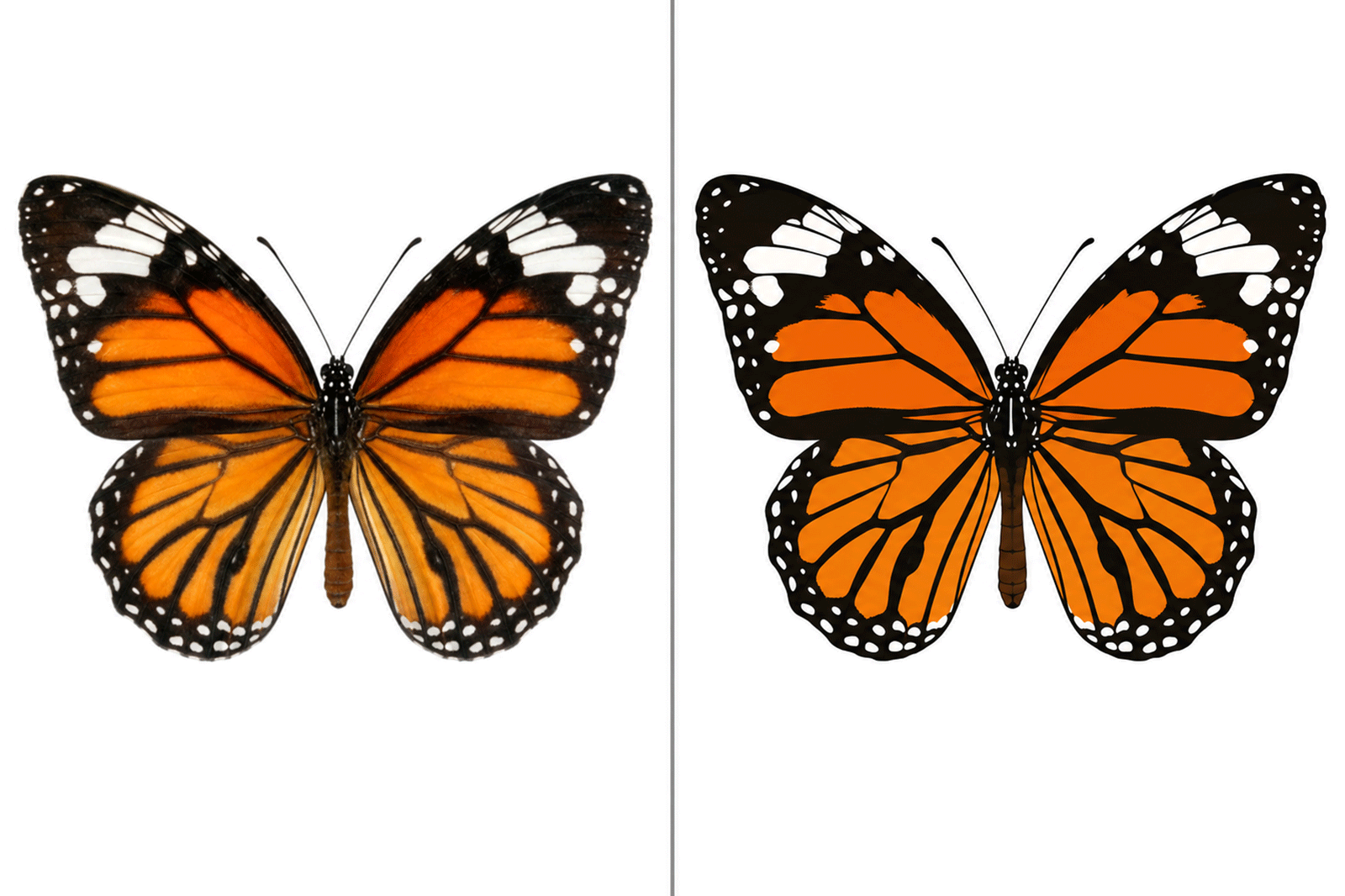
Retouch360 provides professional clipping path services to create clean, precise cutouts for product and commercial images. Our expert editors deliver accurate edges, making background removal, transparent images, and custom image editing simple and reliable.

Clipping paths are ideal for product photography, eCommerce, catalogs, brochures, magazines, advertisements, and other marketing materials. With detail-focused editing, Retouch360 helps businesses showcase their products with a clean, consistent, and professional appearance.

Clipping path is a professional and reliable method for creating clean, precise image cutouts. At Retouch360, we use the Photoshop Pen Tool to produce accurate paths with smooth edges, ensuring high-quality results for product and commercial images.

Our clipping path services are perfect for eCommerce, catalogs, advertisements, brochures, and other marketing materials. With experienced editors and a strong focus on quality, Retouch360 delivers consistent, detail-oriented editing that helps your products stand out with a polished, professional look.

Our Clipping Path Services

1.Basic Clipping Path
Perfect for simple images with straight edges and minimal curves, delivering clean and accurate background removal.

2 .Complex Clipping Path
Ideal for detailed images with multiple curves, holes, or intricate shapes that require high precision editing.

3.Multi Clipping Path
Best for eCommerce product images where separate parts need color correction, editing, or customization individually.

4.Image Masking
Used for images with soft or complex edges like hair, fur, fabric, or transparent objects for smooth background removal.

5.Shadow Creation
Adds natural drop shadows, reflections, or realistic effects to make product images more attractive and professional.

Frequently Asked Questions (FAQs)

A clipping path is a precise outline created around an image in Photoshop that allows you to separate the subject from its background. It is also commonly referred to as a “shape” or an “alpha channel.” Clipping paths play an important role in product photography and other types of images where background removal is required.

There are several methods to create a clipping path, but the most widely used technique is the Pen Tool in Photoshop. To create one, the subject is first carefully selected, and then the Pen Tool is used to trace around its edges with precision. Once the path is completed, it can be saved as an alpha channel for further editing or background removal.

Clipping paths are highly useful for many types of images, especially in product photography, where clean, professional, and distraction-free visuals are essential for eCommerce, advertising, and marketing purposes.


A clipping path is a precise outline created around an image in Photoshop that allows you to separate the subject from its background or isolate specific parts of an image. Depending on the level of detail required, clipping paths can be created using the Pen Tool or other selection tools.

To create a clipping path, first make a selection around the object you want to isolate. Then open the Paths panel and click on “Make Work Path from Selection.” A new path will appear in the panel. To convert it into a clipping path, select “Clipping Path” from the Paths panel options.

Clipping paths can also be used for image masking. In this process, a path is drawn around the area you want to keep visible. By inverting the selection and removing the background, you can achieve a clean, focused, and professional-looking result.

In the field of image editing, a clipping path is an essential technique used to isolate objects and remove backgrounds from images. This process is particularly useful for visuals intended for printed materials, eCommerce platforms, and websites where clean, distraction-free images are required.

Several software applications offer clipping path tools. Adobe Photoshop is one of the most widely used programs due to its precision and flexibility. Other popular options include Adobe Illustrator, Inkscape, and GIMP.

When selecting a clipping path tool, it is important to consider both your requirements and skill level. Some tools are more advanced and may require practice to master. However, with consistent use and experience, you can achieve professional-quality results suitable for commercial use.

In image editing, a clipping path is a closed vector path or shape used to cut out an object from a 2D image. When the path is applied using a selection or cutting process, everything inside the path is preserved while the outside area is removed. Clipping paths can be created using tools such as the Pen Tool in Photoshop or Illustrator.

There are several common techniques used to create a clipping path:

  1. Pen Tool with Clipping Mask
    The first technique involves drawing a precise path around the object using the Pen Tool. After completing the path, the Clipping Mask command in Photoshop is used to isolate the selected area.
  2. Pen Tool with Layer Mask
    The second technique is similar, but instead of using a clipping mask, a Layer Mask is applied. This allows for non-destructive editing, making it easier to refine the selection later.
  3. Direct Path-Based Isolation (Export/Selection Method)
    Another method involves creating a path and directly converting it into a selection or exported cut-out, depending on the software. This is often used in professional workflows for precise background removal and product image editing.

Clipping path is a form of image editing in which a subject is precisely isolated from its background to create a clean and focused visual. This technique is widely used in eCommerce and product photography, where high-quality and distraction-free images are essential. By using clipping paths, online retailers can significantly enhance the visual appeal of their product images, helping to attract potential customers and improve conversion rates. It can also be used to remove unwanted elements such as wrinkles, blemishes, or background distractions.

There are several important benefits of using clipping path techniques. One key advantage is the improvement of overall image quality, which is crucial for eCommerce businesses, as professional visuals directly influence sales performance. Another benefit is the ability to isolate specific elements within an image, making it easier to create targeted marketing materials, advertisements, and promotional content that highlight particular products or features.

Yes, we offer all new potential customers a free trial task before starting any business relationship with us. This allows you to evaluate the quality of our work and service standards with confidence.

Simply visit our Request Free Trial page and submit your images to get started. We look forward to demonstrating our expertise and building a trusted working relationship with you.

We are working with many methods to send and receive images.

FTP

You can use whichever one you prefer. FTP  If you’re familiar with FTP, you can get an FTP account within 5 minutes. You may also use your own FTP server.

Dropbox or Wetransfer

Dropbox and Wetransfer are very simple methods and quite popular. You may try any of these.

Email

The email option is more suitable for images you’re only including those to an email message that does not exceed your mailbox’s size limit (usually 20 megabytes).

Services we provide

Clipping Path
Multiple Clipping Path
Image Masking
Neck Joint
Image Retouching
Shadow Making
Reflection
Color Correction
Image Enhancement
Image Manipulation
Raster To Vector
360 Image

Need a quotation for Clipping Path Services

If you are looking for a quotation for your images, the team at Retouch360 is always ready to assist you. We provide both new and existing clients with fast and reliable quotation services, typically within one hour. Simply request a free quote today and receive your price estimate within an hour or even less—it’s that simple.

We ensure that you get the most competitive pricing for your image editing needs from Retouch360.

If you require a price quote for our Clipping Path service, please submit your inquiry along with your project requirements. Our team will respond within 2–4 hours with a competitive quotation. Please note that pricing depends on the number of images, required turnaround time, and the complexity of the work. We also offer better rates for bulk orders—the more you order, the lower the per-image cost becomes.

Confidentiality Assurance:
Retouch360 is highly trusted by its clients for maintaining strict confidentiality. All images provided by clients are securely stored on our servers and are returned upon completion of the project. We do not involve any third parties in the workflow, ensuring complete data security from start to finish.